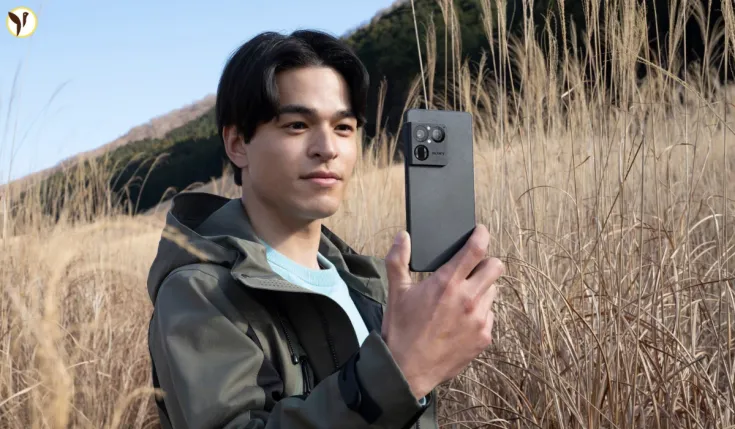

Sony’s new Xperia 1 VIII introduces an AI Camera Assistant that analyzes scenes and suggests creative one‑tap looks, lens choices and bokeh effects to help users take more expressive photos without fiddly manual settings. This combines Sony’s Xperia Intelligence with imaging ideas drawn from its Alpha cameras, and pairs software suggestions with a much larger telephoto sensor to raise everyday image quality.
Why this matters (what happened and why it’s notable)
-
Sony unveiled the Xperia 1 VIII with an AI Camera Assistant that actively analyzes brightness, subject distance, background and weather, then offers selectable creative presets and camera adjustments to match the scene.
-
The feature is notable because it embeds cinematic “Creative Look” profiles inspired by Sony’s Alpha lineup directly into the phone camera, allowing users to get pro‑style color tones and depth effects without postprocessing
-
At the same time Sony upgraded its telephoto hardware with a sensor roughly four times larger than the previous model, improving light gathering and dynamic range so the AI’s suggestions have stronger source data to work from.
How the AI Camera Assistant works (clear, factual explanation)
-
Scene analysis: when you open the camera, the assistant analyzes the scene for subject, brightness, distance and background complexity, plus environmental cues (e.g., weather), then proposes several “expressive options.” These can include different color grades, recommended focal lengths and bokeh intensity.
-
One‑tap selection: the UI shows a short list of suggested looks; tapping one applies the camera settings and (in some cases) a preview so you can choose quickly without manual parameter changes.
-
Integration with hardware: suggestions take into account which lens will best capture the scene; the phone’s new larger telephoto sensor (approx. 1/1.56") provides improved low‑light performance and cleaner zoom crops, letting the assistant recommend telephoto shots with less noise than before.
-
Creative lineage: Sony says the assistant’s recommendations are informed by imaging ideas developed for its Alpha cameras, so the suggested looks are intended to reflect professional color science and composition approaches rather than generic smartphone filters.
Context and background (timeline and lineage)
-
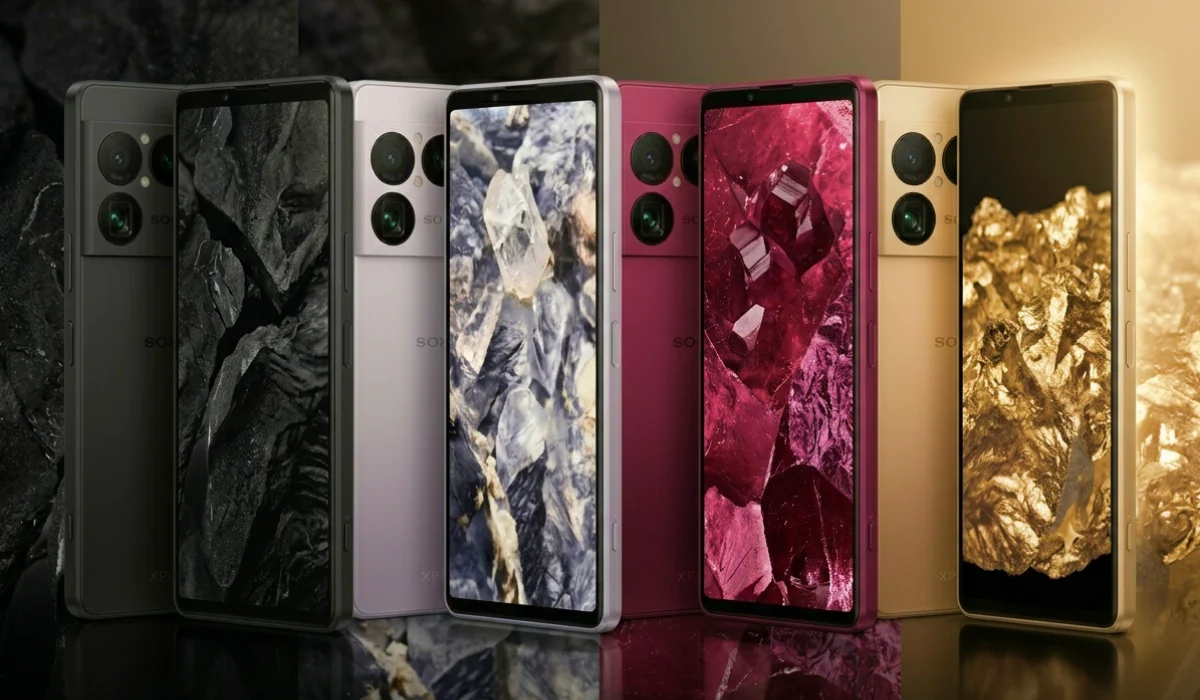
Sony has focused on photography in its Xperia 1 series for years, often porting Alpha camera tech and color science into mobile form; the 1 VIII continues that thread by combining software intelligence with a tangible sensor upgrade.
-
Recent industry trend: other manufacturers have added AI-driven scene modes or automated enhancements, but Sony’s emphasis is on curated creative profiles (Alpha‑derived) and pairing them with a physical telephoto improvement—an approach that mixes on‑device intelligence with better raw capture.
-
Release timing: the Xperia 1 VIII was announced in May 2026 alongside promotional demos that highlight the AI assistant and the larger telephoto sensor as the flagship’s photography focal points.
Original analysis — realistic benefits and limitations
-
Practical gains: users who struggle with manual camera controls can get consistently better photos quickly because the assistant reduces the need to guess ISO, exposure bias, white balance or lens choice; hobbyists and social creators should see the most immediate benefit.
-
When it will help most: scenes with mixed lighting, portraits where pleasing background blur matters, and telephoto shots that previously suffered from crop noise are the strongest use cases because the assistant both suggests relevant creative styles and the larger telephoto sensor provides cleaner data.
-
Limits and caveats: AI suggestions are curated presets, not substitutes for expert control—photographers wanting complete manual control or RAW-first workflows may find the assistant less useful; outcomes still depend on composition and the photographer’s intent. Additionally, automatic creative choices reflect Sony’s aesthetic priorities, which may not match every user’s taste.
What happens next (forward-looking insight and testing checklist)
-
Real-world rollout and updates: expect firmware updates and profile refinements after release as Sony gathers usage data and user feedback—initial presets may be tuned over time to improve consistency across global lighting conditions.
-
How to evaluate it yourself: test the assistant across four scenarios—bright daylight, backlit portraits, evening street scenes, and 3–4x telephoto framing—and compare the assistant’s one‑tap results against default auto and a manual/RAW capture to judge color, noise and dynamic range improvements.
-
Third‑party app integration: watch whether Sony allows exporting or applying Creative Look profiles in third‑party apps or to RAW files; deeper integration would increase the assistant’s value for serious creators.
Sony Xperia 1 VIII : la fin du télézoom optique au profit d’une meilleure qualité d’image ? https://t.co/EzXUyfeUHO pic.twitter.com/1d16rAVaYG
— Phototrend (@phototrend) May 13, 2026
Practical advice for buyers and creators
-
If you prioritize straight-out-of-camera results and creative presets, the AI assistant + larger telephoto sensor is a strong selling point.
-
If you prefer full manual control and RAW pipelines, plan to test how much control the assistant gives up—Sony’s intent is to help rather than block manual workflows, but verify RAW export and manual overrides first.
-
For content creators: try the assistant for quick social-ready images, then use a RAW capture for any images you intend to edit heavily—this keeps the best of both worlds (quick presets + detailed editing source).
Author perspective (expert framing)
As a technology journalist with a focus on camera systems and computational imaging, I view Sony’s AI Camera Assistant as a pragmatic attempt to lower the barrier between casual shooters and pro-style results by pairing on‑device intelligence with a real sensor improvement. The meaningful difference here is that software suggestions rest on better raw captures from the telephoto lens, which is preferable to features that rely purely on aggressive postprocessing.